Ever feel like you’re shouting into the void? You work hard to get visitors to your WordPress site, only for them to read, click, and… leave. Poof. Gone.
What if you had a friendly, automated employee who could tap that visitor on the shoulder just as they were heading for the door and say, “Hey, before you go, want this 10% off coupon?”
That’s exactly what a WordPress email subscription popup plugin does. It’s your best (and cheapest) employee for converting one-time visitors into long-term subscribers and customers.
But with hundreds of options, which free plugin gives you the most power without the price tag? As a marketer who has tested, broken, and (most importantly) built email lists with these tools for over 15 years, I’ve done the hard work for you.
We’re going to compare the 7 best free popup plugins on the market: WowOptin, HubSpot, Icegram Engage, Hustle, Popup Maker, Brave, and Mailchimp for WordPress. By the end of this post, you’ll know exactly which one is right for your specific goal, whether that’s maximum design freedom, powerful free features, or all-in-one CRM integration.
TL;DR
There is no single “best” plugin, only the best plugin for your specific needs.
🎨 The “Best for Design & Speed”: WowOptin
For those who want their site to look premium and load fast, WowOptin takes the crown. With over 100+ high-quality templates in the free version and a “Canva-style” editor, it allows you to create modern, high-converting popups that don’t feel like “generic” WordPress add-ons. It is particularly well-suited for lifestyle bloggers and high-end portfolios.
Best for Generous All-in-One Features: If you’re a small business or marketer who needs the most power for free, this is it. Unlimited popups, unlimited views, 140+ templates, and no branding is a package that’s impossible to beat.
🏆 The “Best Overall” for Free Features: Hustle
If you want the most “Pro” features without paying a cent, Hustle is the clear winner. It is one of the few plugins on this list that provides Exit-Intent triggers in its free version. While it limits you to three active campaigns, those three can be highly sophisticated, beautifully designed, and integrated with almost any major email provider.
Best for Free Exit-Intent: If your number one goal is to capture visitors as they leave and you only need one or two popups, this is your plugin. The free exit-intent trigger is a premium feature you get for $0.
📊 The “Best for Sales & Growth”: HubSpot
If your goal isn’t just to “collect emails” but to close sales, HubSpot is unbeatable. Because it connects your popups directly to a free CRM, you can see exactly which pages a lead visited before they signed up. This data is invaluable for personalized follow-ups. It’s the professional choice for small businesses and agencies.
Best for Integrated Marketing (CRM): If you’re a business that doesn’t have a CRM, stop. Install this. The popups (with free exit-intent) are the cherry on top of a free, powerful customer management and live chat system.
🛠️ The “Best for Power Users & Developers”: Popup Maker
If you are comfortable with WordPress settings and want a plugin that will never break, Popup Maker is the industry standard. It offers the most “logic” options (e.g., showing a popup only if a user came from a specific site). While its editor isn’t as pretty as Brave or WowOptin, its stability and compatibility with other plugins are unmatched.
Best for Advanced Targeting Rules: If you are a developer or power-user who cares less about design and more about when and where a popup shows (e.g., “only on posts in the ‘Gadget’ category for logged-out users”), this is your tool.
🧩 The “Best for Ease of Use”: Brave
If you use Elementor or Divi and want that same drag-and-drop experience for your popups, Brave is your best bet. It is the most intuitive “visual” builder on this list. You can literally move a button by one pixel or layer images on top of each other with zero coding knowledge.
Best for Visual Design Freedom: If you’re a designer who wants to build a pixel-perfect, completely custom popup from scratch using a drag-and-drop builder, Brave is your canvas.
⚡ The “Best for Variety”: Icegram Engage
If you aren’t sure if a popup is right for you, pick Icegram Engage. It lets you try out header bars, “toast” notifications, and slide-ins all in one tool. It’s great for people who want to experiment with different ways to grab attention without being too “in your face.”
Best for No-Branding Simplicity: This is a fantastic, lightweight alternative to WowOptin. If you want unlimited popups, no branding, and multiple campaign types (like action bars) without the frills, start here.
📧 The “Best for Mailchimp Fans”: MC4WP
If you use Mailchimp and want something that “just works,” MC4WP is the gold standard. It’s a lightweight bridge that makes sure your sign-up forms and Mailchimp account stay perfectly synced. It’s simple, stable, and gets the job done without any fluff.
Best for Mailchimp Users: If you just use Mailchimp and want a simple, no-fuss signup form in your sidebar or at the end of a post, this is all you need.
Quick Selection Guide
- Want the most beautiful templates? Pick WowOptin.
- Need Exit-Intent for $0? Pick Hustle or HubSpot.
- Want to build visually from scratch? Pick Brave.
- Using Mailchimp exclusively? Pick MC4WP.
- Want multiple styles (Bars, Toasts, Popups)? Pick Icegram Engage.
- Need a “Blank Canvas” for custom forms? Pick Popup Maker.
What Is WordPress Email Subscription Popup?
At its core, a WordPress email subscription popup is a digital window that appears over your website’s content to capture a visitor’s attention and encourage them to join your mailing list. Unlike static forms buried in a sidebar or footer, popups are dynamic; they “pop” onto the screen based on specific user behaviors.
In the WordPress ecosystem, these popups are powered by plugins that allow you to design the interface, set the “triggers” (when they appear), and automatically sync the captured email addresses to your email marketing service (like Mailchimp, HubSpot, or Constant Contact).
A standard subscription popup typically consists of:
- The Lead Magnet: A compelling headline or offer (e.g., “Get 10% Off”).
- The Input Field: Where the user types their email address.
- The Call-to-Action (CTA): A button that submits the form.
- The Dismiss Option: A clear “X” or “No thanks” link to ensure a good user experience.
How We’re Judging the “Best” Free Popup Plugin
A “free” plugin that plasters “Powered By” logos all over your site or limits you to 500 views isn’t really free. It’s a glorified trial.
To find the true champions, I’m comparing them across five core criteria that matter to beginners, marketers, and small business owners.
- Key Free Features & Limitations: What do you really get? We’re looking for generous perks like unlimited popups, no branding, and no tiny pageview limits. We’ll also call out what’s missing (like the all-important exit-intent trigger).
- Ease of Use & UI: Can a total beginner build and launch a popup without pulling their hair out? A good visual builder or template library is key.
- Free Templates & Customization: Can you make it look good and match your brand, or are you stuck with one ugly, unchangeable box?
- Targeting & Trigger Options (Free): A good plugin isn’t just a popup; it’s a smart popup. We’ll check what free triggers (time on page, scroll depth) and targeting (show on specific pages) are included.
- Email Marketing Integrations: A popup is useless if it doesn’t send your new leads to your email service. We’ll check for easy, native integrations with Mailchimp, ConvertKit, and others.
Best WordPress Email Popup Free Plugins: Quick Comparison
For those in a hurry, here’s the quick-glance comparison of our top 7 free contenders.
| Plugin | Best Free Feature | Key Free Limitation | Ease of Use | Design Flexibility | Free Exit-Intent? |
|---|---|---|---|---|---|
| WowOptin | Unlimited Popups, Views & 140+ Templates | No free exit-intent trigger | Easy (Visual Builder) | ⭐⭐⭐⭐⭐ | No |
| HubSpot | Full-featured Free CRM Integration | HubSpot branding on forms | Easy | ⭐⭐⭐ | Yes |
| Icegram Engage | Unlimited Popups & No Branding | No free exit-intent trigger | Easy | ⭐⭐⭐ | No |
| Hustle | Exit-Intent Trigger Included | Limited to 3 free modules (popups) | Easy (Polished UI) | ⭐⭐⭐⭐ | Yes |
| Popup Maker | Unlimited Popups & Advanced Targeting | No free exit-intent trigger | Moderate (Rules-based) | ⭐⭐⭐⭐ | No |
| Brave | True Drag-and-Drop Visual Builder | No free exit-intent trigger | Easy | ⭐⭐⭐⭐⭐ | No |
| MC4WP | Perfect Mailchimp Integration | Not a true “popup” builder (it’s a form plugin) | Easy | ⭐⭐ | No |
In-Depth Reviews of the 7 Best Free WordPress Email Subscription Popup Plugins
Let’s dig into what makes each of these plugins unique and find the perfect fit for you.
1. WowOptin
WowOptin has quickly become a favorite for marketers on a budget, and for one simple reason: its free plan is arguably the most generous on this list. While other plugins hold back key features, WowOptin gives you almost everything you need right out of the box.
You get unlimited popups, unlimited pageviews, and zero “Powered By” branding. This is huge. You also get access to over 140 free templates and a clean, visual builder that’s easy to grasp.
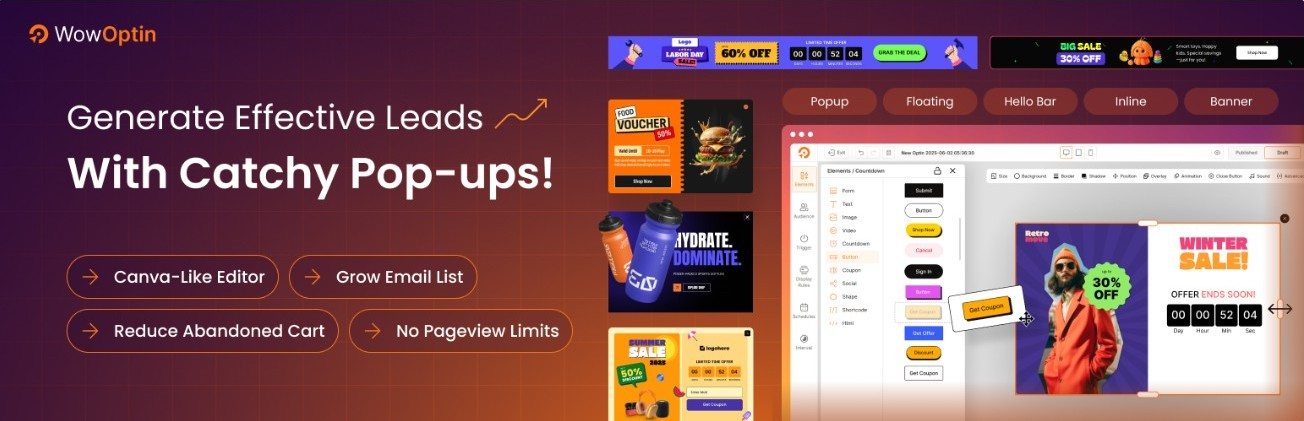
It also includes standard triggers (time, scroll, on-click) and page-level targeting. For integrations, it connects directly with Mailchimp and other services via webhooks, which covers almost any email provider.
Pros:
- Completely unlimited popups and impressions.
- No “Powered By” branding, even on the free plan.
- Huge library of over 140 professional, free templates.
- Visual builder with full access to all elements (timers, buttons, etc.).
Cons:
- The biggest free feature missing is the exit-intent trigger, which is reserved for the Pro version.
2. HubSpot
The HubSpot WordPress plugin is not just a free popup builder; it’s a free, all-in-one marketing platform. When you install it, you get a powerful CRM, live chat, email marketing, and then the popup (or “pop-up forms”) builder.
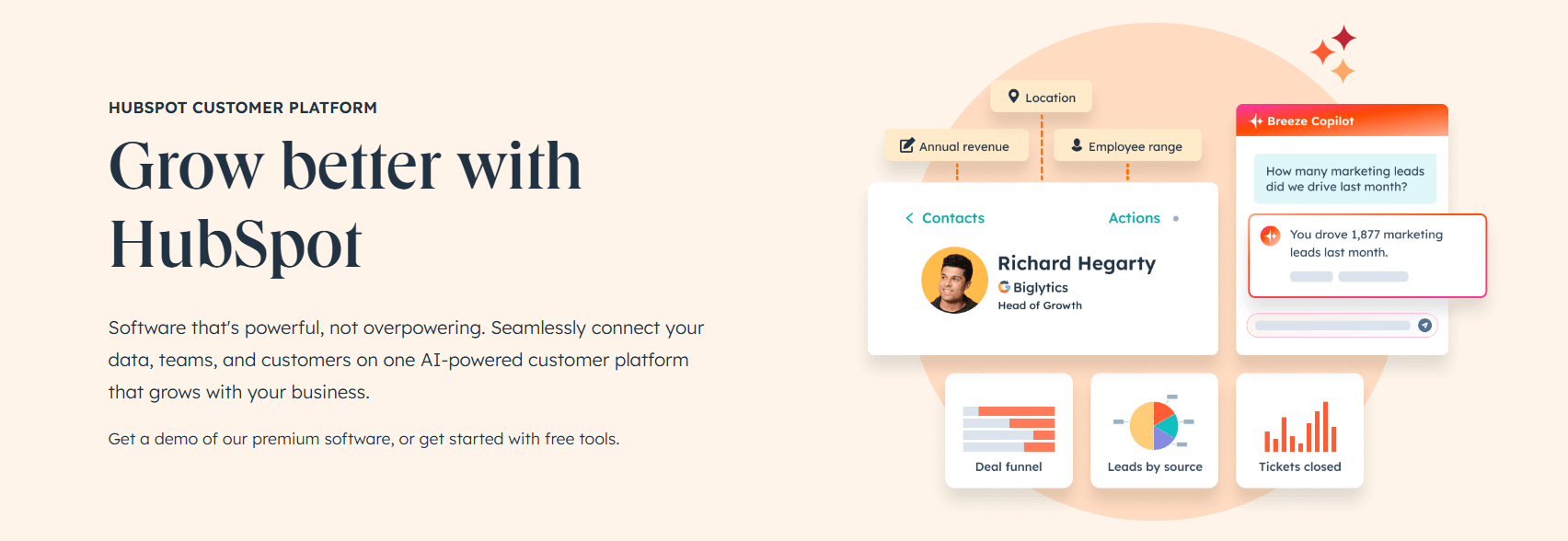
This is an incredible value. The popups are easy to build and, best of all, include exit-intent triggers for free. All your leads sync directly into the free HubSpot CRM, where you can tag them, track their activity on your site, and even send them one-off emails. The only real catch? The popups will have a small “Powered by HubSpot” logo.
- Pros:
- Includes free exit-intent triggers.
- Comes with a powerful, 100% free CRM to manage your leads.
- Also includes free live chat and email marketing tools.
- Cons:
- Adds HubSpot branding to your forms.
- Can be overkill if you only want a simple popup plugin and already have a CRM.
3. Icegram Engage
Icegram Engage is a fantastic, lightweight alternative that follows a similar “generous free” model as WowOptin. It proudly offers unlimited campaigns (popups, action bars, toasts) and no branding on the free plan.
It’s built for simplicity and effectiveness. You can easily target specific pages, show messages to certain users, and it integrates with all major email marketing services. It doesn’t have the flashiest visual builder, but it’s incredibly effective and won’t slow down your site.

- Pros:
- Unlimited popups, impressions, and campaigns.
- No “Powered By” branding.
- Multiple message types (popups, slide-ins, action bars, “toast” notifications).
- Lightweight and performance-focused.
- Cons:
- Lacks a free exit-intent trigger (this is a Pro feature).
- The interface is more functional than “pretty.”
4. Hustle
Hustle, from the team at WPMU DEV, is a polished and popular plugin that makes one very specific trade-off: it gives you the premium exit-intent trigger for free, but in return, it limits the number of popups you can create.
The free version allows you to create up to 3 modules (a module being one popup, one slide-in, or one social share bar). For many small blogs, this is perfectly fine. If you just want one high-performing exit-intent popup for your whole site and a slide-in for your blog, Hustle is a perfect choice. The builder is slick, and it includes a great set of free templates.

- Pros:
- Includes free exit-intent triggers.
- Beautiful, polished, and modern user interface.
- Also includes free social sharing and embed modules.
- Cons:
- Limited to only 3 free modules (popups, slide-ins, etc.).
- More advanced integrations and analytics are in the Pro version.
5. Popup Maker
With over 700,000 active installs, Popup Maker is the most popular free popup plugin on the WordPress repository. Its power isn’t in a fancy visual builder, but in its robust targeting conditions and developer-friendliness.
You get unlimited popups and themes and can target anything: specific posts, categories, tags, user roles, and more. It’s a rules-engine first, designer second. This makes it a favorite for developers who want to trigger a simple popup with complex rules. The major, and often deal-breaking, limitation? Exit-intent is a paid add-on.
- Pros:
- Unlimited popups and unlimited impressions.
- Extremely powerful free targeting conditions (show on specific pages, posts, categories, etc.).
- Cons:
- No free exit-intent trigger.
- Not a true “visual” builder; it’s more of a settings panel, which can be confusing for beginners.
6. Brave Popup Builder
If you’re a designer at heart and the other builders feel too restrictive, you’ll love Brave. The free version of Brave includes a true, zero-restriction, drag-and-drop visual builder that feels like Elementor or Divi.
You can create unlimited popups with no branding. You get 9 free elements (text, button, image, form) to build anything you can imagine from a blank canvas. It integrates with most email services. The catch is (you guessed it) advanced triggers like exit-intent, scroll depth, and advanced targeting are all Pro features.
- Pros:
- The best and most flexible free visual drag-and-drop builder on this list.
- Unlimited popups and no branding.
- Cons:
- Lacks free exit-intent and scroll-depth triggers.
- Fewer pre-made templates in the free version (it’s more of a “build-it-yourself” tool).
7. Mailchimp for WordPress (MC4WP)
This one is a bit different. It’s not a full-fledged popup builder. It is the best plugin for one job: getting signups into your Mailchimp account.
If you already use Mailchimp, this plugin is a must-have. It lets you create simple, clean signup forms (which can be styled) and add them anywhere. It doesn’t have triggers, targeting, or visual builders. It’s just a rock-solid, simple, and reliable bridge between your site and your Mailchimp list.
- Pros:
- The most seamless and reliable Mailchimp integration available.
- Incredibly simple and lightweight.
- Cons:
- Not a real popup builder. It lacks all triggers (exit-intent, time, scroll) and targeting.
- Only useful if you are a Mailchimp user.
Advantages of Email Subscription Popup Plugin
Why use a dedicated plugin instead of a simple static form? The benefits go beyond just “getting more emails.”
- Higher Conversion Rates: Statistics consistently show that popups convert significantly better than static forms. Because they demand attention, they often see conversion rates ranging from 3% to 10%, compared to less than 1% for sidebar forms.
- Automated List Growth: Once set up, a popup plugin works for you 24/7. It automatically validates emails, filters out bots, and pushes data into your email marketing software without you lifting a finger.
- Professional Design without Coding: You don’t need to be a web designer. Tools like WowOptin and Brave offer drag-and-drop editors and pre-built templates that make your site look professional and trustworthy.
- Reduced Bounce Rate (with Exit-Intent): By using exit-intent technology (found in plugins like Hustle), you get one last chance to engage a visitor who was about to leave forever. This can turn a “bounce” into a future sale.
- Compliance and Ease of Use: Modern plugins are built with GDPR and privacy regulations in mind, providing easy-to-add checkboxes and privacy policy links to ensure your marketing is legal and ethical.
How to Use Popups in Your Marketing
Popups are powerful, but they are most effective when used strategically. To avoid “popup fatigue” and maximize conversions, you should integrate them into your marketing plan using these proven methods:
- Offer Exclusive Incentives (Lead Magnets): Don’t just ask people to “subscribe to our newsletter.” Offer a tangible reward like a free eBook, a discount code, a checklist, or access to a “members-only” webinar.
- Utilize Smart Triggers: Use behavioral triggers to ensure the popup is helpful, not annoying.
- Exit-Intent: Display a popup just as a user moves their mouse to close the tab.
- Scroll-Trigger: Show the popup once a reader has finished 50-70% of a blog post, indicating high interest.
- Time-Delay: Give the visitor 15–30 seconds to get to know your brand before asking for their email.
- Segment Your Audience: Use page-level targeting. For example, if a visitor is reading a guide on “SEO,” show them a popup for an SEO-specific checklist rather than a generic site-wide offer.
- A/B Testing: Many plugins allow you to test two different designs or headlines to see which one converts better. Small changes in button color or wording can lead to massive jumps in sign-ups.
Final Verdict: Which One Should You Install?
As you can see, “free” can mean very different things. It can mean a limited-features-but-polished tool like Hustle, or a powerhouse with unlimited everything like WowOptin and Icegram Engage. Or, it can be a gateway to a massive free platform, like HubSpot.
Your next step is to identify your one most important goal. Is it stopping leaving visitors (get Hustle or HubSpot)? Is it having unlimited, unbranded popups (get WowOptin or Icegram)? Or is it just a simple form (get MC4WP)?
Once you know your goal, the choice becomes easy.
Now that you’ve seen the top free options, which one is right for you? To see just how powerful a free visual builder can be, why not read our full review of WowOptin?
FAQs on Free WordPress Email Subscription Popup Plugin
01: Will using a popup hurt my “SEO” or Google ranking?
Google actually has a rule about this: they don’t like it when a giant popup covers the whole screen the second someone lands on your site.
To stay on Google’s good side, just make sure your popup is easy to close and doesn’t block the main content immediately.
If you use “Exit-Intent” or wait 20 seconds before showing your popup, Google won’t mind at all, and your site will stay safe in the search results.
02: Do I need a separate email service like Mailchimp to use these plugins?
For most of them, yes.
Think of the popup plugin as the “bucket” that catches the emails and the email service (like Mailchimp, MailerLite, or HubSpot) as the “storage tank” where those emails are kept.
Most of these plugins—especially MC4WP and Hustle—are designed to “plug into” your email service so your new subscribers are automatically saved and ready for your next newsletter.